Brief Builder: From Blank Page to Growth Engine.
My role
Product design, research, prototyping, testing
Team
PM, 2 Engineers
Timeline
The goal was to unlock the funnel. Customers couldn't start tendering because brief creation was too complex.
I joined when Brief Builder was a concept: help customers create briefs themselves. Through research and testing, I discovered they didn't want independence - they wanted guided collaboration. This insight transformed Brief Builder from a self-service tool into a hybrid system that accelerates CQuel's service delivery while giving customers confidence to proceed.
100+
briefs generated in 5 months
30%
faster time-to-tender
75%
supplier-rated brief quality
My contribution:
Designed the end-to-end experience from upload to publish
Engineered the scoring & validation logic that algorithmically guides users to a "ready-to-publish" state.
Led high-stakes validation with difficult-to-access senior stakeholders (Asset Managers & Engineers).
Built production-grade prototypes in Cursor that enabled Sales to demo and validate the product before engineering started
01
The Problem
CQuel connects real estate with sustainable solutions through bidding, but customers couldn't get started – brief creation was their biggest barrier. Without templates or guidance, potential projects never reached suppliers.
Information Chaos
Data scattered across files. No idea what suppliers actually need.
Role Confusion
Who provides technical specs? Who handles strategy?
Status Uncertainty
Is this brief good enough to publish?
Manual Coordination
Endless emails chasing missing information.
02
The Research
Overall scope:
Worked with senior B2B stakeholders - asset managers, sustainability consultants, engineers. These users are busy, hard to access, and skeptical of new tools. Recruited through cold outreach, existing client relationships, and sales introductions.
6
in-depth interviews
50+
existing
briefs
8
workflows shadowed
Key insight from research:
Managers needed structure, not blank pages. But more importantly - they wanted to delegate and get expert help, not do everything themselves. The most-used features became "Delegate to team member" and "Request help from CQuel."
03
The Solution
What is Brief Builder?
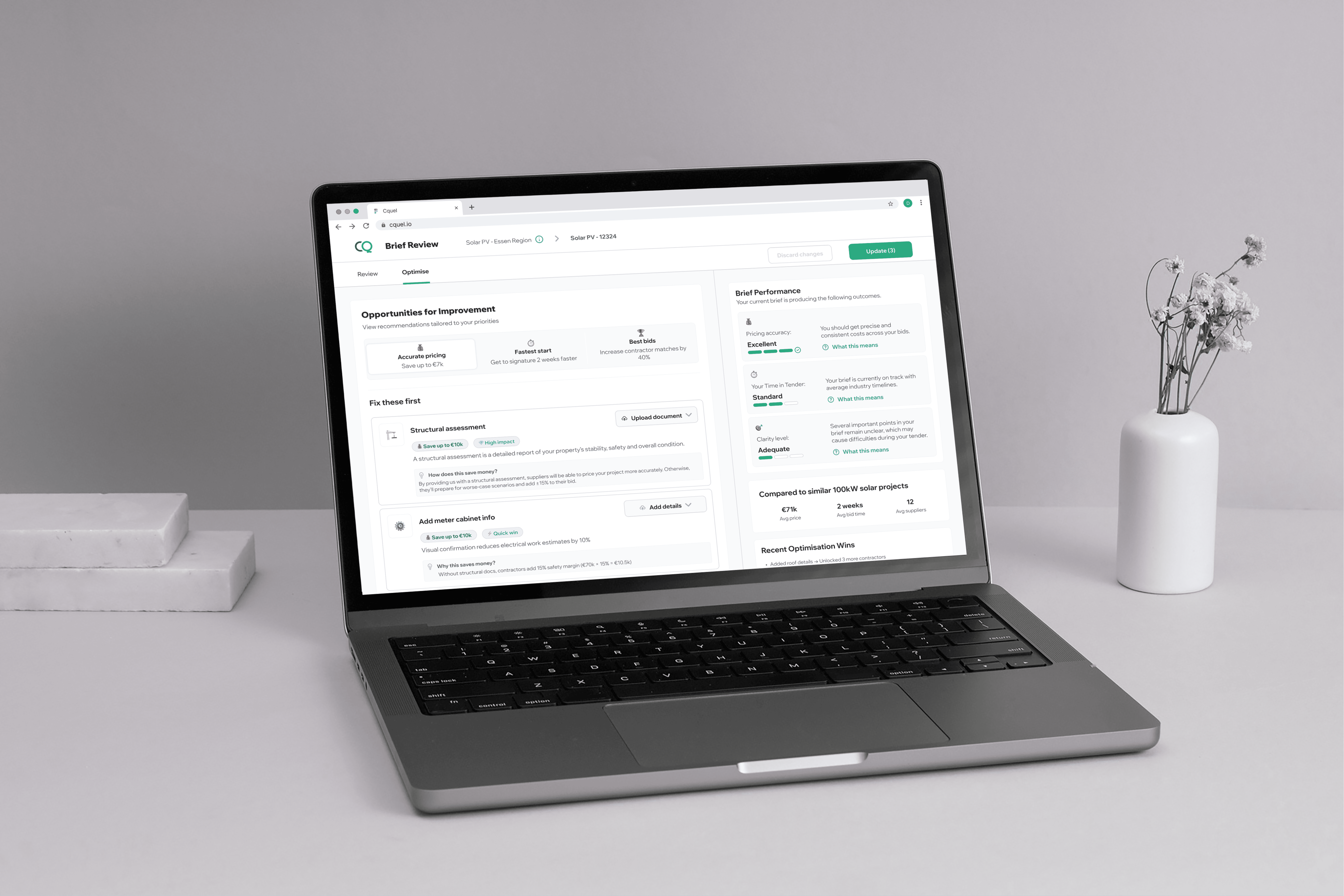
An AI tool that helps customers create quality briefs without needing to know what to include. It guides them from scattered information to a confident "ready to publish" decision.
How it works
Customers upload whatever they have - PDFs, photos, notes. AI generates a structured brief with all required sections filled in. Then they review, optimise, and either publish or request help.
Design principles I established:
Direction over data
Show what to do next, not just what's missing.
Whose court clarity
Always visible who acts next and what they need to do.
Proactive status
The system tells them when the brief is ready.
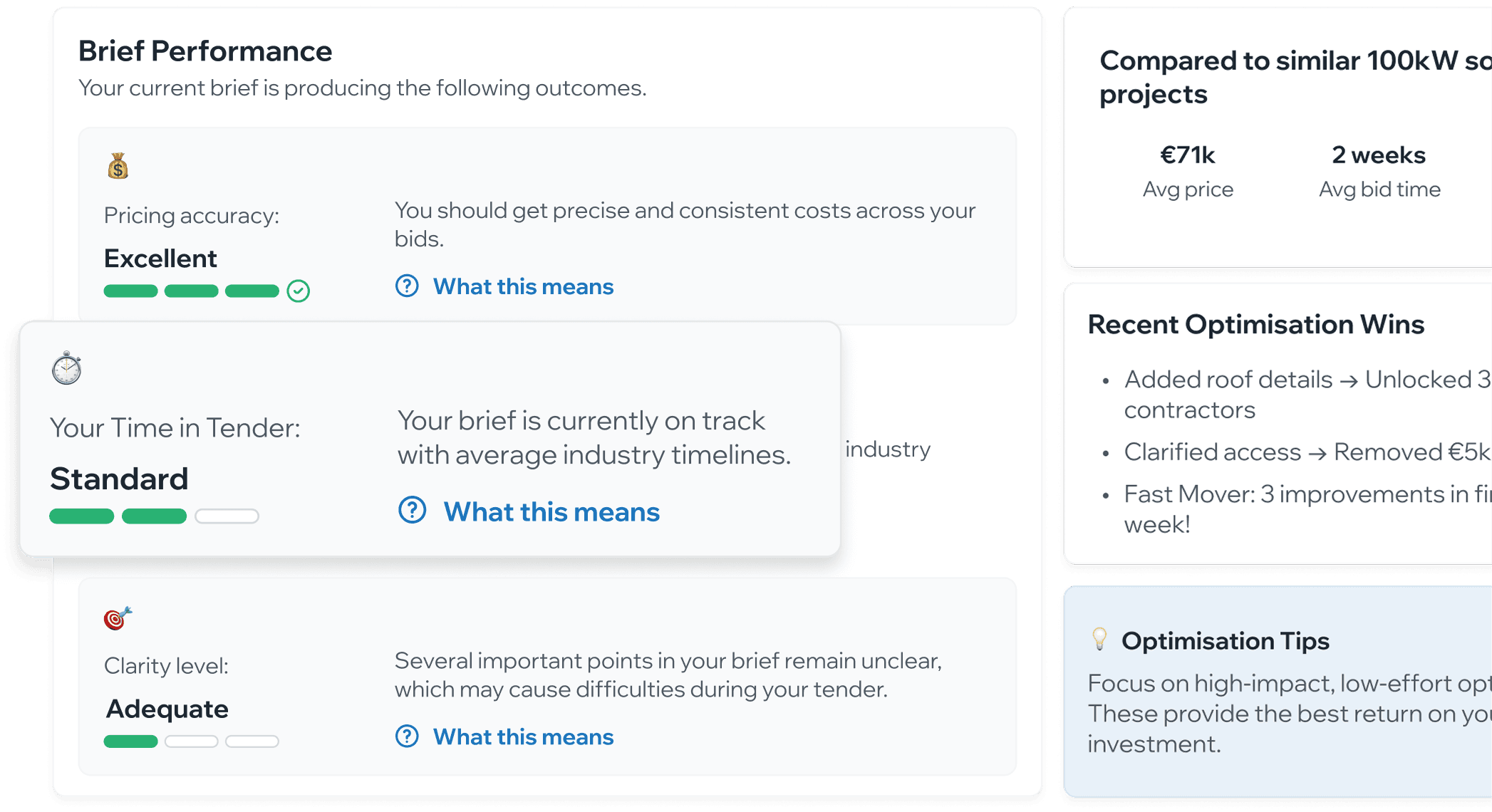
How do you tell a non-expert their brief is "good enough"?
What I designed:
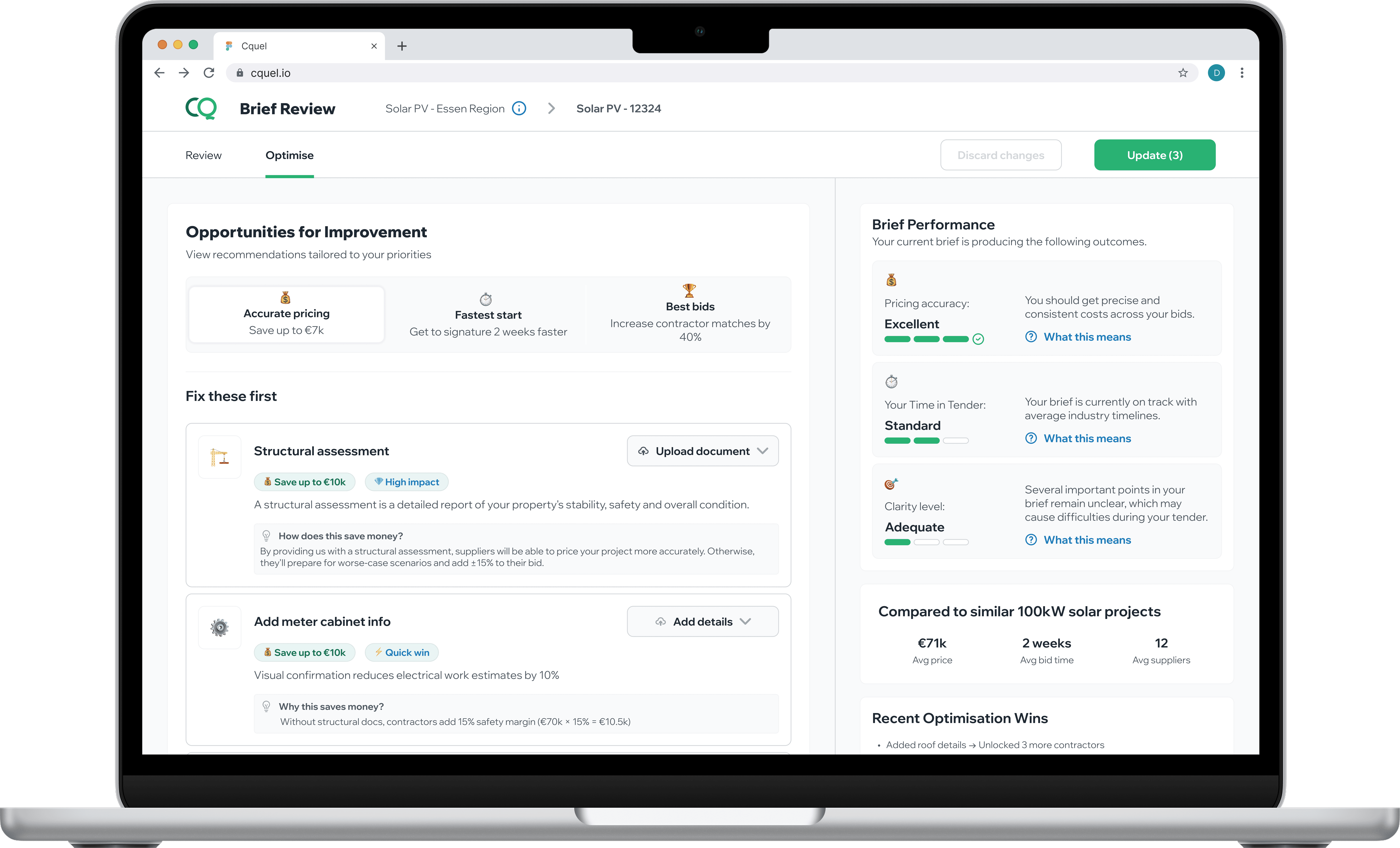
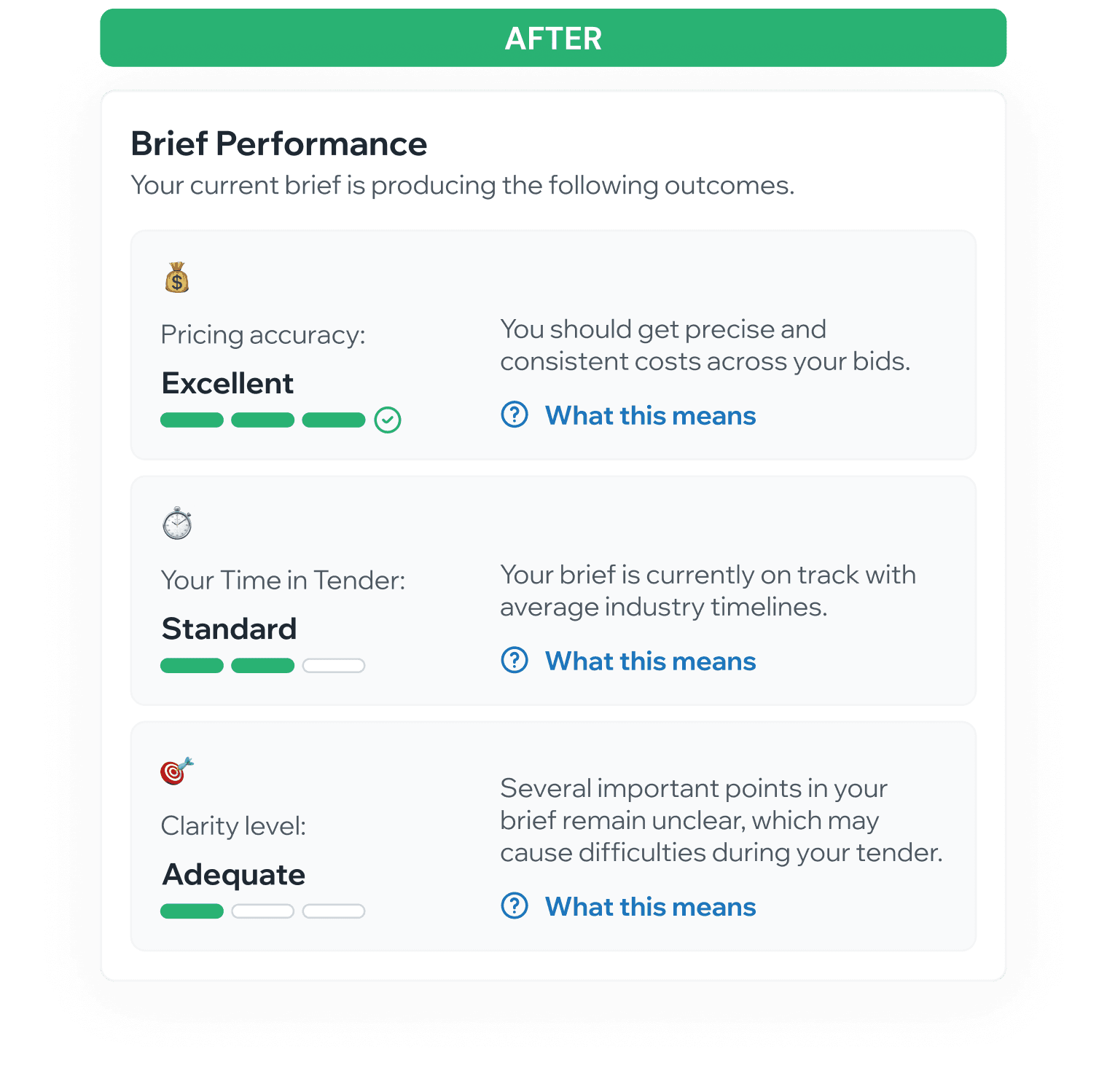
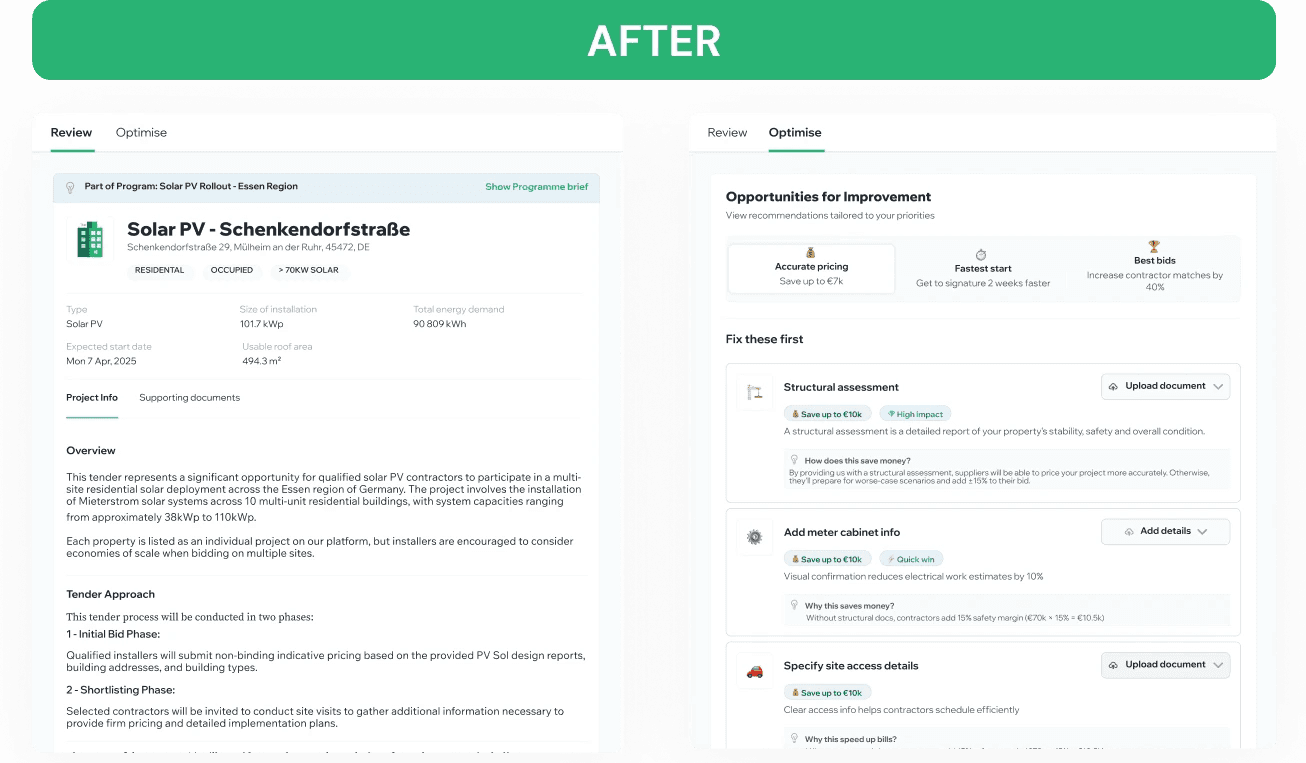
Outcome-focused ratings that answer the real question: "Can I proceed?"
Good / Excellent / Adequate - Clear status without judgment
"Ready to Proceed" signal - Binary confidence to publish
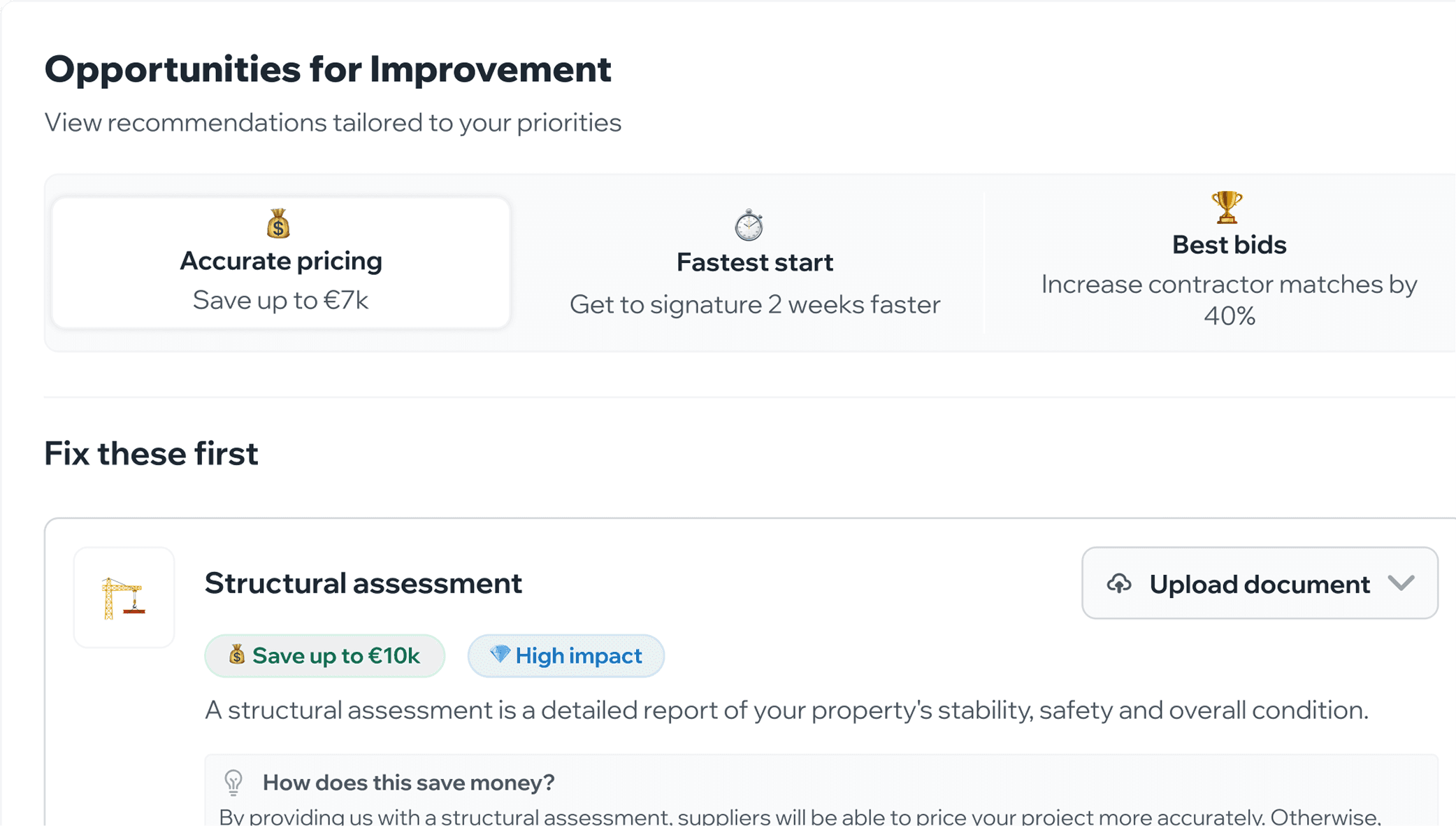
Grouped recommendations by priority - Accurate pricing, Fastest start, Best bids
The specific scoring criteria came from team expertise and supplier feedback analysis. The conceptual framework - making it about decisions, not scores - was my contribution.
The B2B gamification insight:
In B2B, gamification isn't about points and badges. It's about reducing decision anxiety. The Brief Performance panel works because it turns uncertainty ("Is this good enough?") into confidence ("You're ready to proceed").
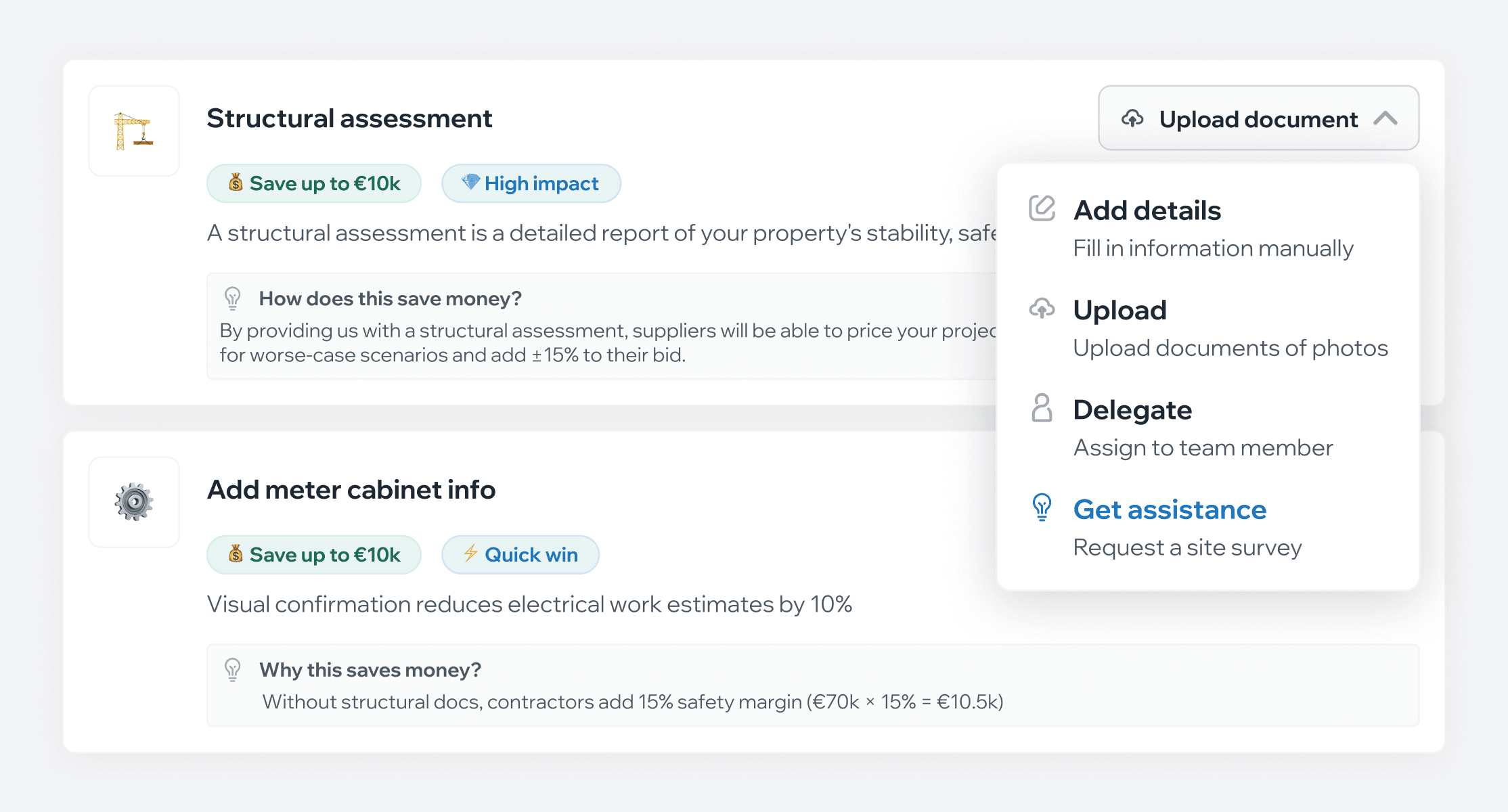
Role Confusion → Four Clear Ways to Fill Gaps
For each missing piece, choose how to complete it:
upload a document,
write it manually,
delegate to a team member,
or request help from CQuel.
No more guessing who should provide what.
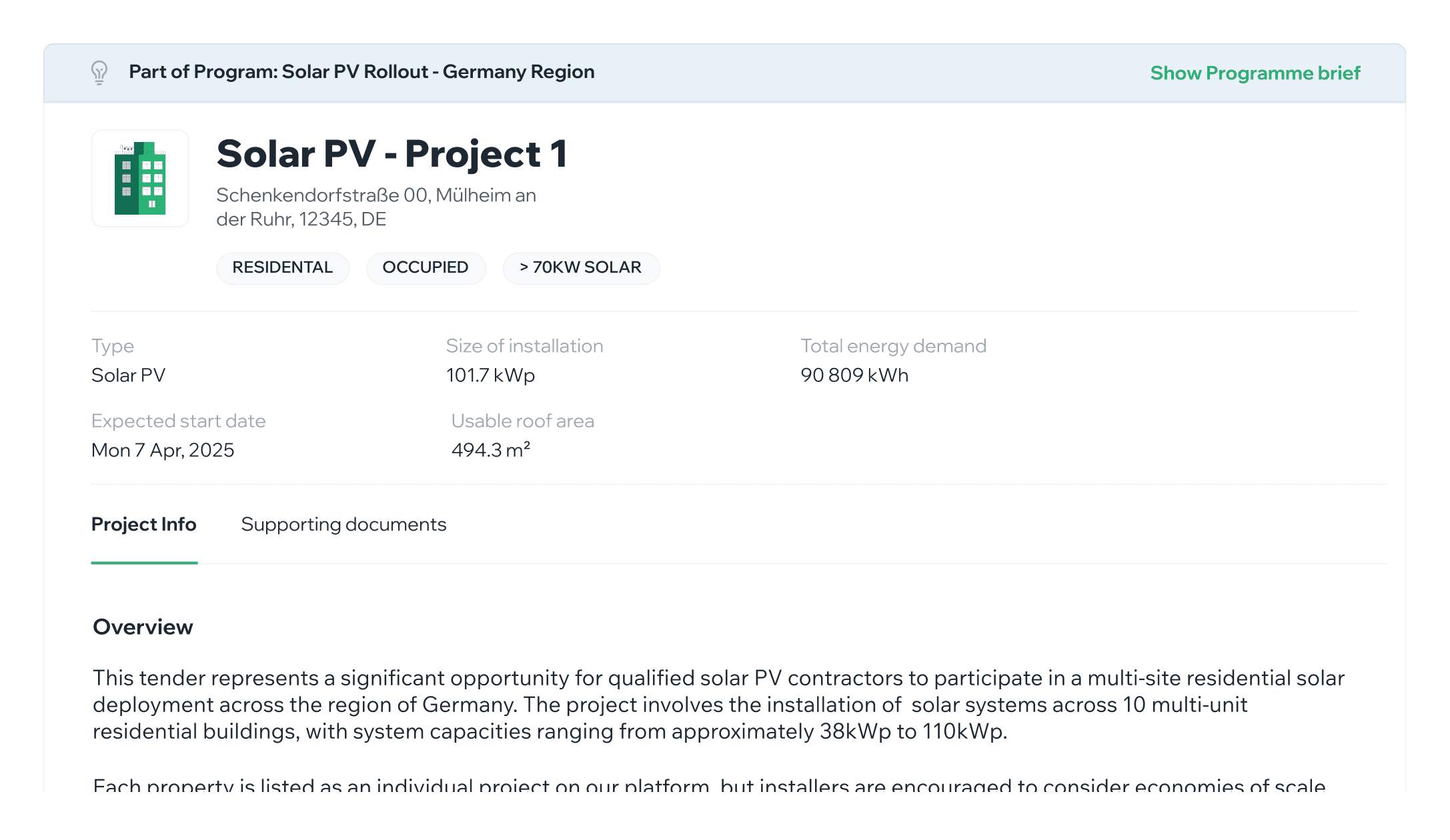
Information Chaos → Structured Brief
Upload whatever you have - PDFs, photos, notes, scattered documents. AI analyses the content and generates an organised brief with all required sections filled in.
Manual Coordination → Educational Guidance
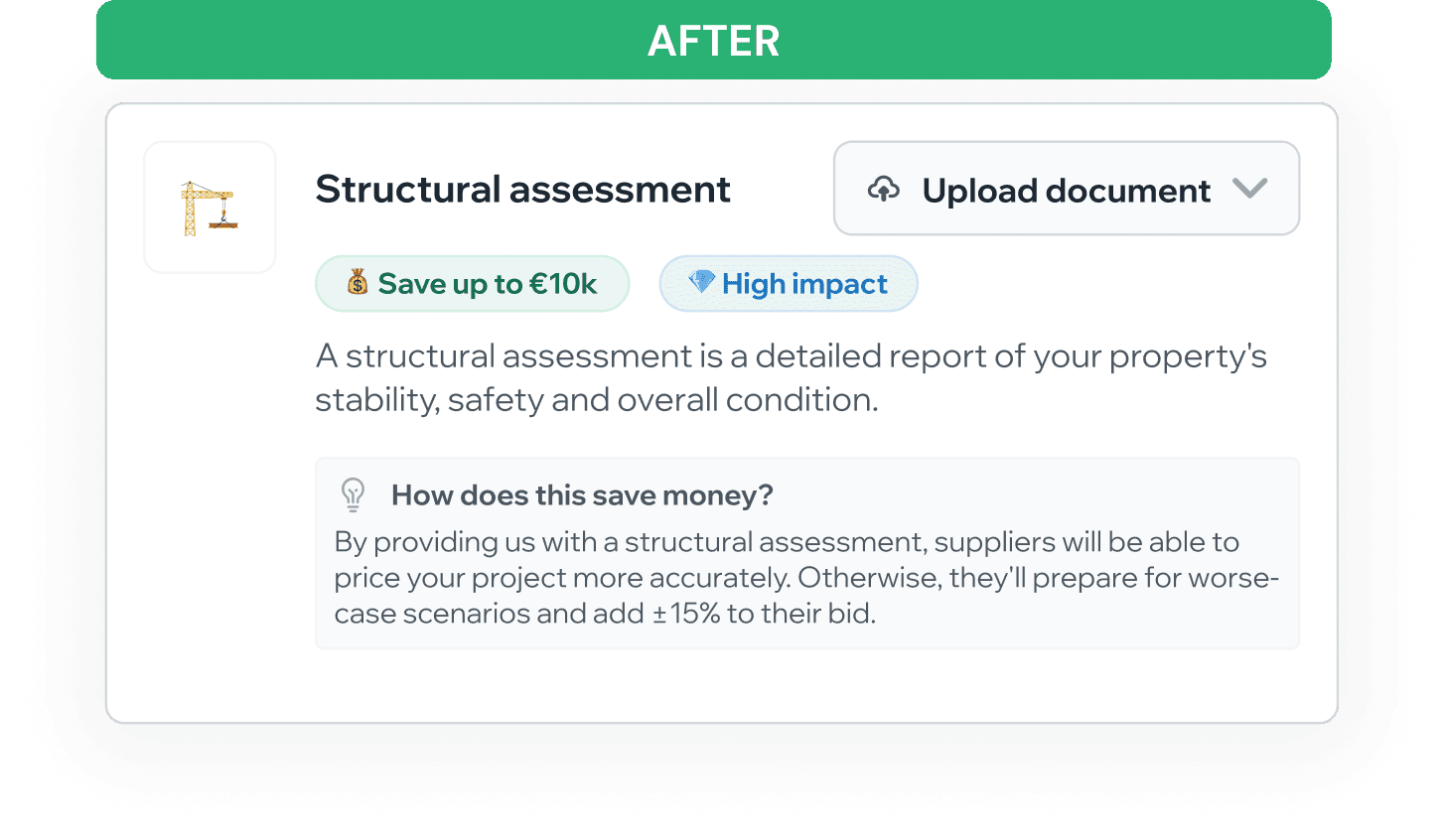
Built-in explanations show why each piece matters:
"Without structural docs, contractors add 15% safety margin" or "Visual confirmation reduces electrical estimates by 10%."
Customers learn tender dynamics while building their brief.
04
Testing
What we did:
Built a fully functional prototype using Cursor - not just clickable screens, but working like a real product. This enabled:
10 live testing sessions with asset managers, consultants, and engineers.
CEO used it for sales demos while we were still designing.
Real feedback on real workflows, not hypothetical scenarios.
What changed and why:
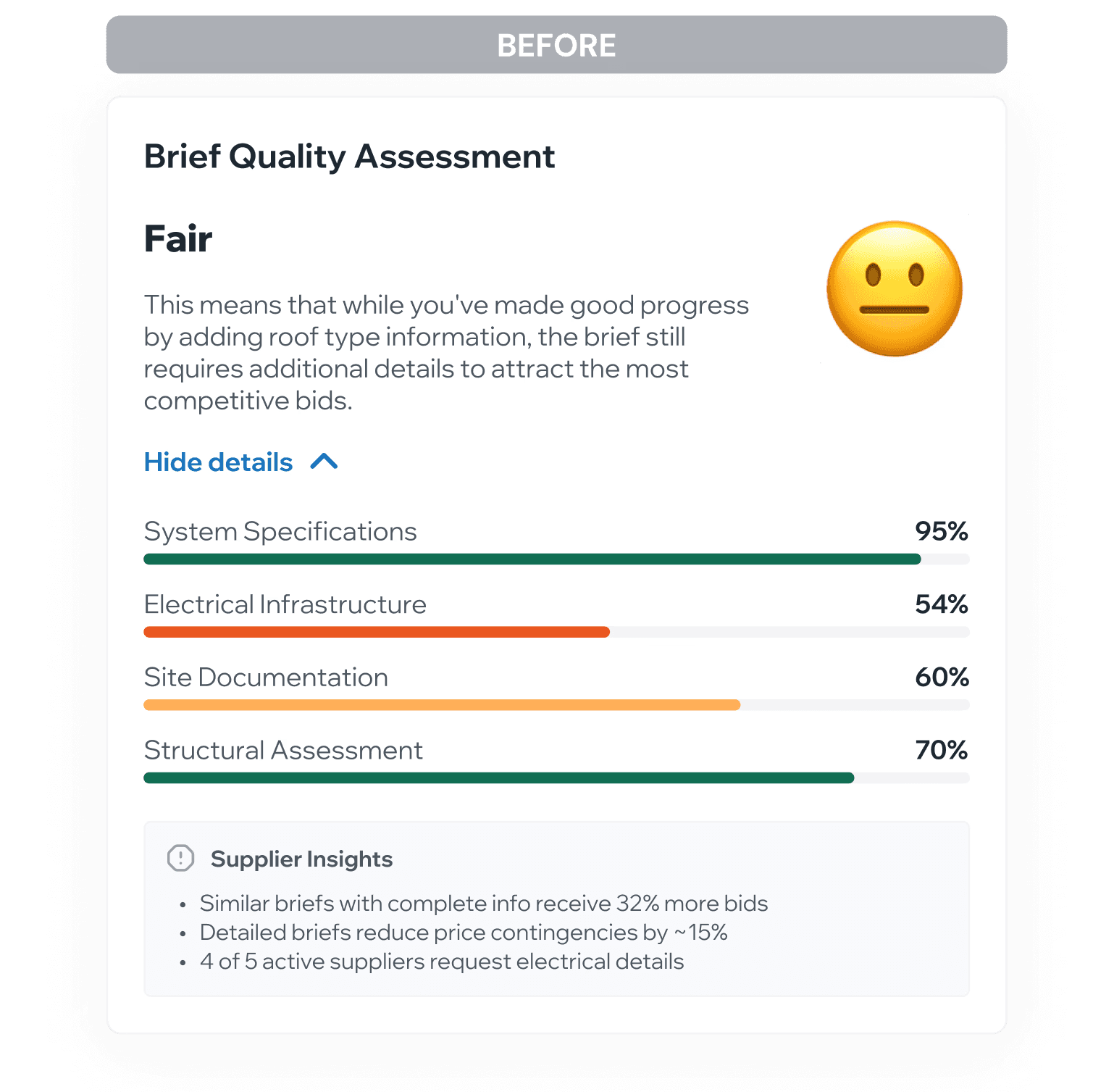
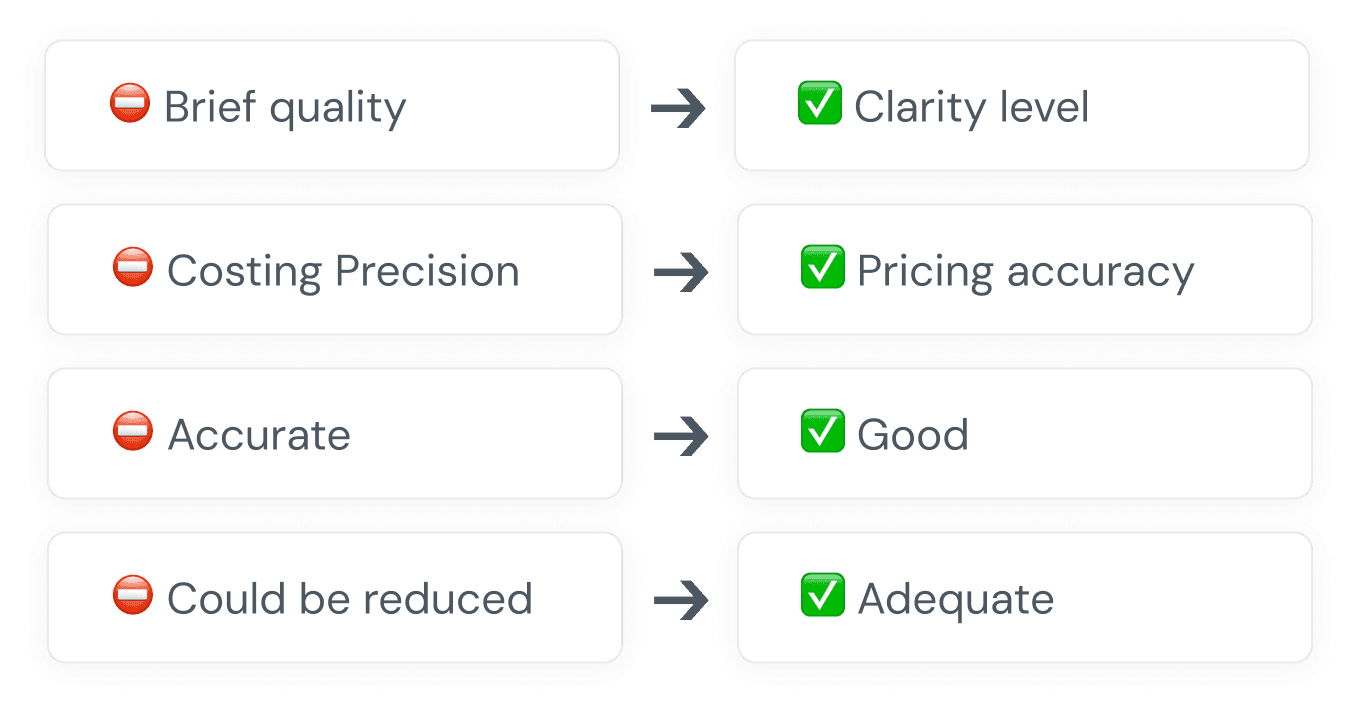
Percentages → Simple Ratings
Users didn't want scores - they wanted to know "is this good enough?"
Our Jargon → Their Words
Terms like "best bids" confused people. Switched to plain language customers actually use.
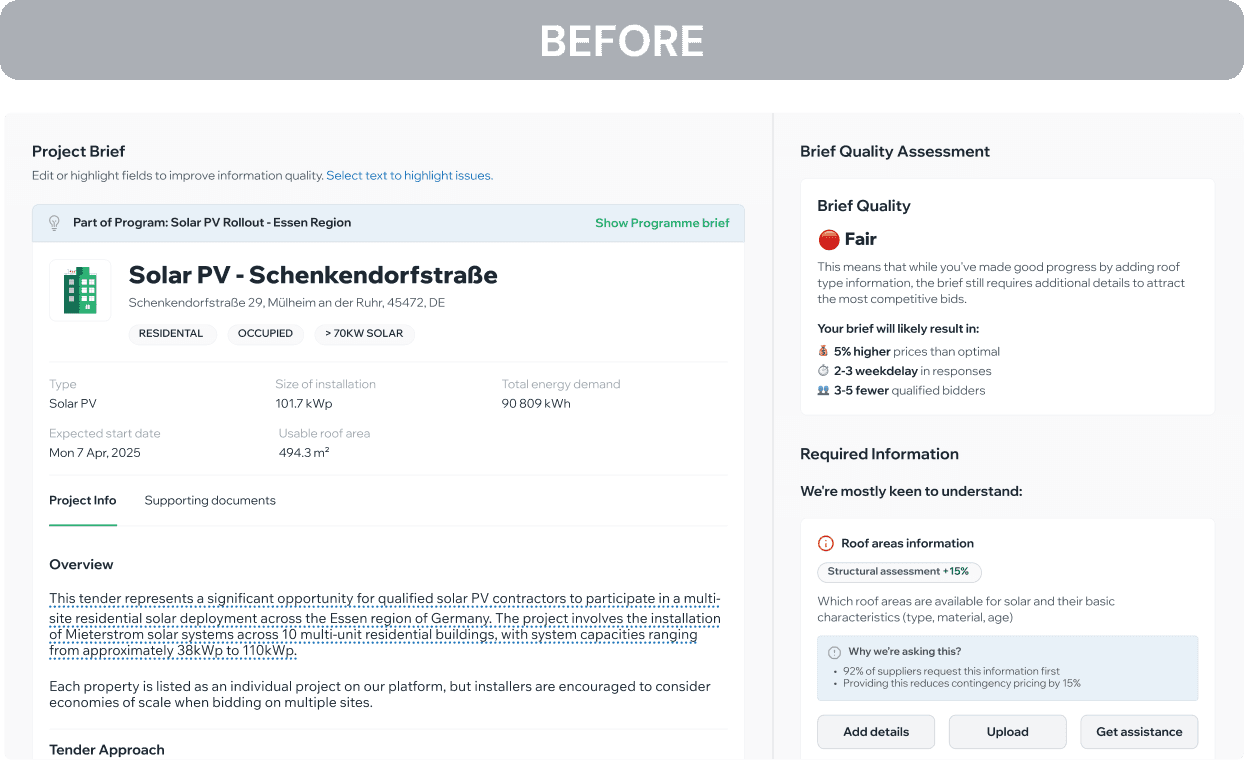
Everything in One View → Separate Tabs
Editing and reviewing at the same time caused confusion. Split into Review and Optimise.
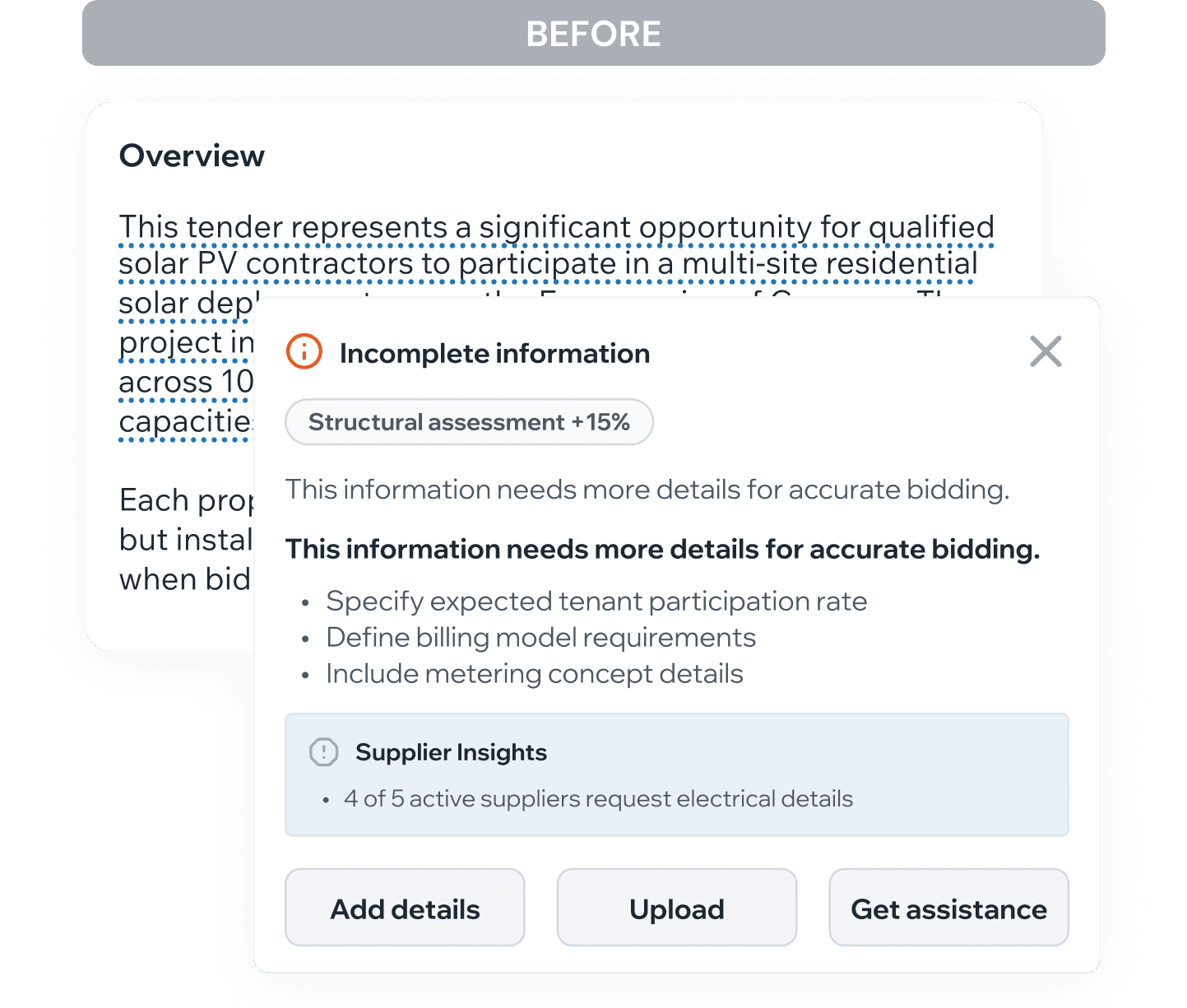
Text Editing → Recommendation Actions
Users wanted to trust the AI baseline, not constantly question it. Removed inline editing in favour of structured actions.
05
Impact
For CQuel's business model:
Validated Brief Builder as growth funnel entry point
Discovered hybrid service model outperforms pure self-service
Created foundation for Deal Closing Management product
06
Key Learnings
Functional prototypes enable sales
Cursor prototype became a sales tool before dev shipped.
Design for teams, not individuals
B2B workflows need delegation built in.
Senior users need faster decisions, not more data
The scoring system works because it reduces anxiety, not because it's comprehensive.
Self-service isn't always the goal
Sometimes the best UX is making human help easier to access.
Previous